
Pilates Lab - A Booking Platform for a Pilates Studio.
Pilates Lab is a classical Pilates studio in Palermo, one of the first in the city, with two rooms, a team of teachers and members who book private, semi-private and group lessons every week.
I designed and built its new platform from scratch, on my own: the public website, an app for members and a back office for the staff. It has been live at pilateslabpalermo.com since October 2026 and runs the studio’s day.
Challenge
The studio ran on a generic booking tool: dense calendars, a lot of settings nobody used and nothing in the studio’s own voice. Its rules, how many people make a class, until when you can cancel, what a package includes, lived in the owner’s head and in her phone.
The brief was to put all of it in one place without changing how people already worked: a calendar that still feels like the old one, no prices on the website, and an app members would actually install.
Results
✤ One product, three doors: a website for new people, an app for members and a back office for the staff, on the same data.
✤ The studio’s rules in the code: minimum numbers, cancellations and credits are checked by the system, not by hand.
✤ Two apps without the store: members and staff install them from the browser and get notifications on the phone.
✤ In daily use since October 2026, and still growing with the studio’s new requests.
3
Surfaces in one product: site, app, back office
12h
Before each class the system checks the minimum
0
Store downloads: both apps install from the browser
Start from how the studio works
Before drawing anything I collected what was already there: the screens of the old tool, the official rules of the studio, the texts written by the owner and 130 photos taken in the rooms. The price list, the rooms and the weekly schedule came straight from the old system, so on day one the new one already looked familiar.
From the meetings came a short list of rules that became the backbone of the product. They live in one file of the code, so the website, the app and the back office can never disagree.
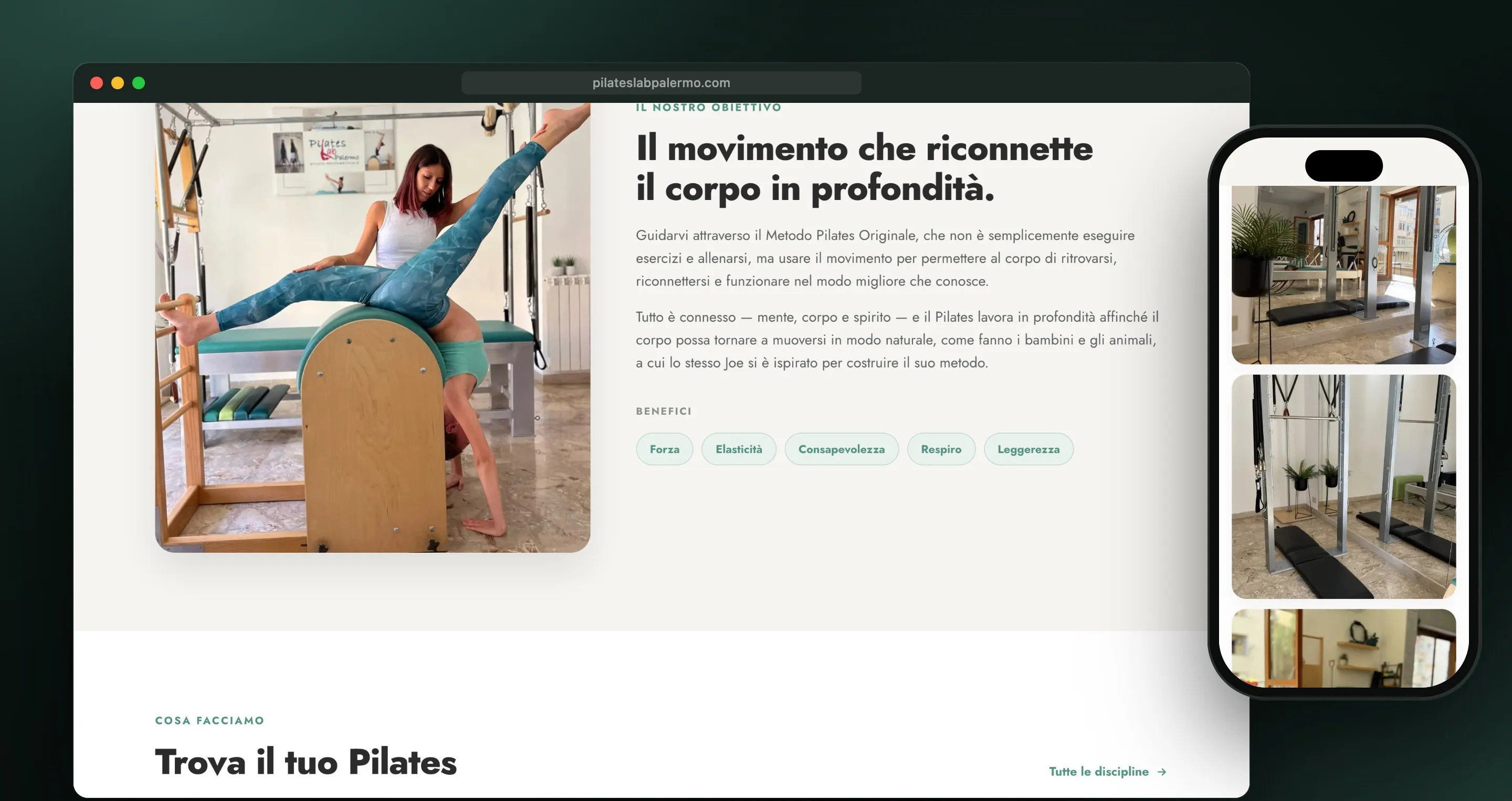
A website that says who they are
The website tells the method, the rooms, the teachers and the training courses, with the studio’s green and a lot of space for the photos. On purpose there are no prices: the studio wants people to come in and talk first.
The photos came as iPhone originals: I converted, rotated and cleaned them of their location data, from 250 MB to about 8 MB for the whole site.
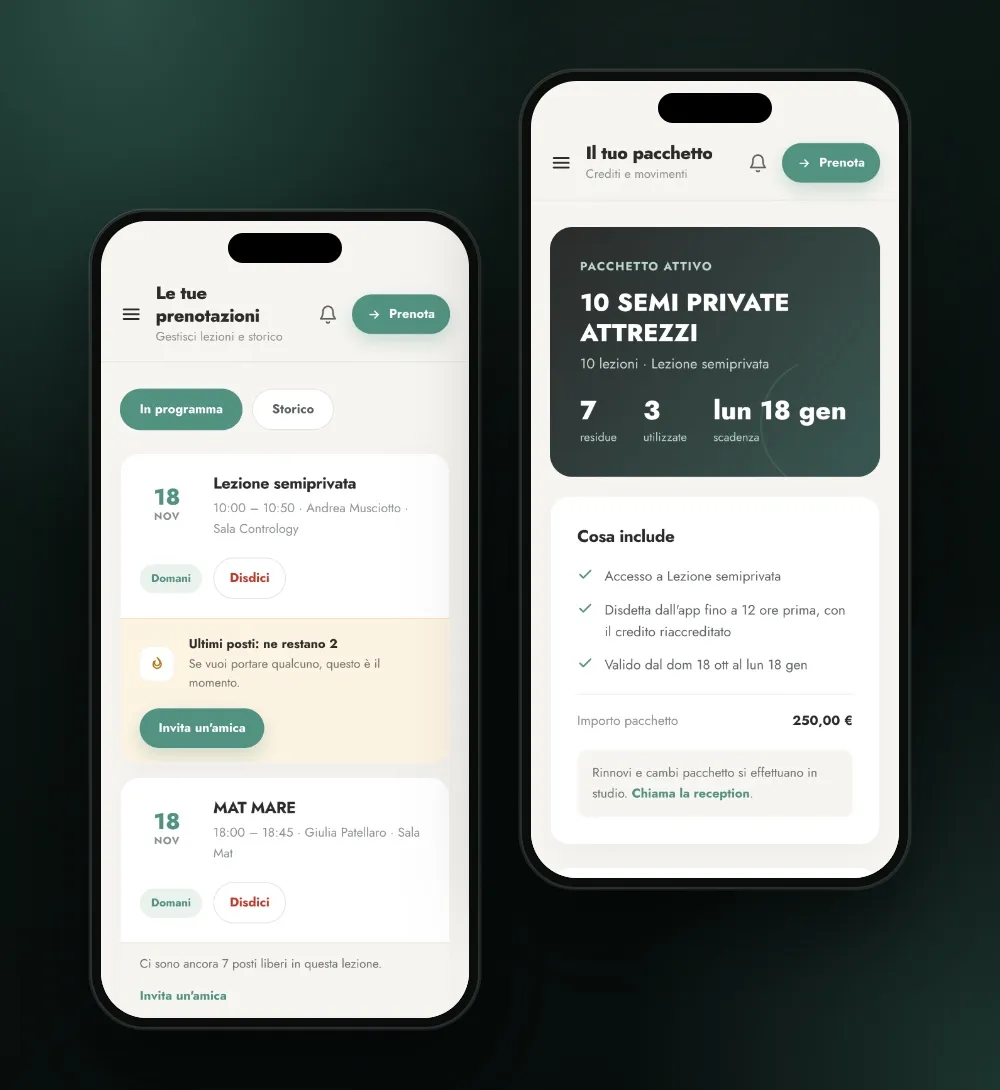
Book in a few taps
Members open the app on their week: the next lesson, the credits left, and a warning if a class they booked is still short of people. Booking means picking a day and a time: the app shows who else is coming, as first name and initial, unless someone chose to book anonymously.
The rules are visible before they bite. You can book until two hours before, cancel for free until twelve hours before, and one account can book for a family member. Members without an active package can still book: the lesson is marked as to be paid and the studio sees it.
The rules, not the reminders
✤ Group classes need at least two people. Twelve hours before, if the minimum is not there, the class is cancelled, credits go back and everyone is told. An empty class stays open for people who book on the day.
✤ Credits come in packages, and a combo package is split into groups, mat and equipment, each with its own count.
✤ The studio’s rules are versioned: members accept them when they sign up and when they get a new package, and changing the text never erases past acceptances.
✤ Every move on credits is written down, so when a member asks “why do I have 3 left?” the answer is one click away.
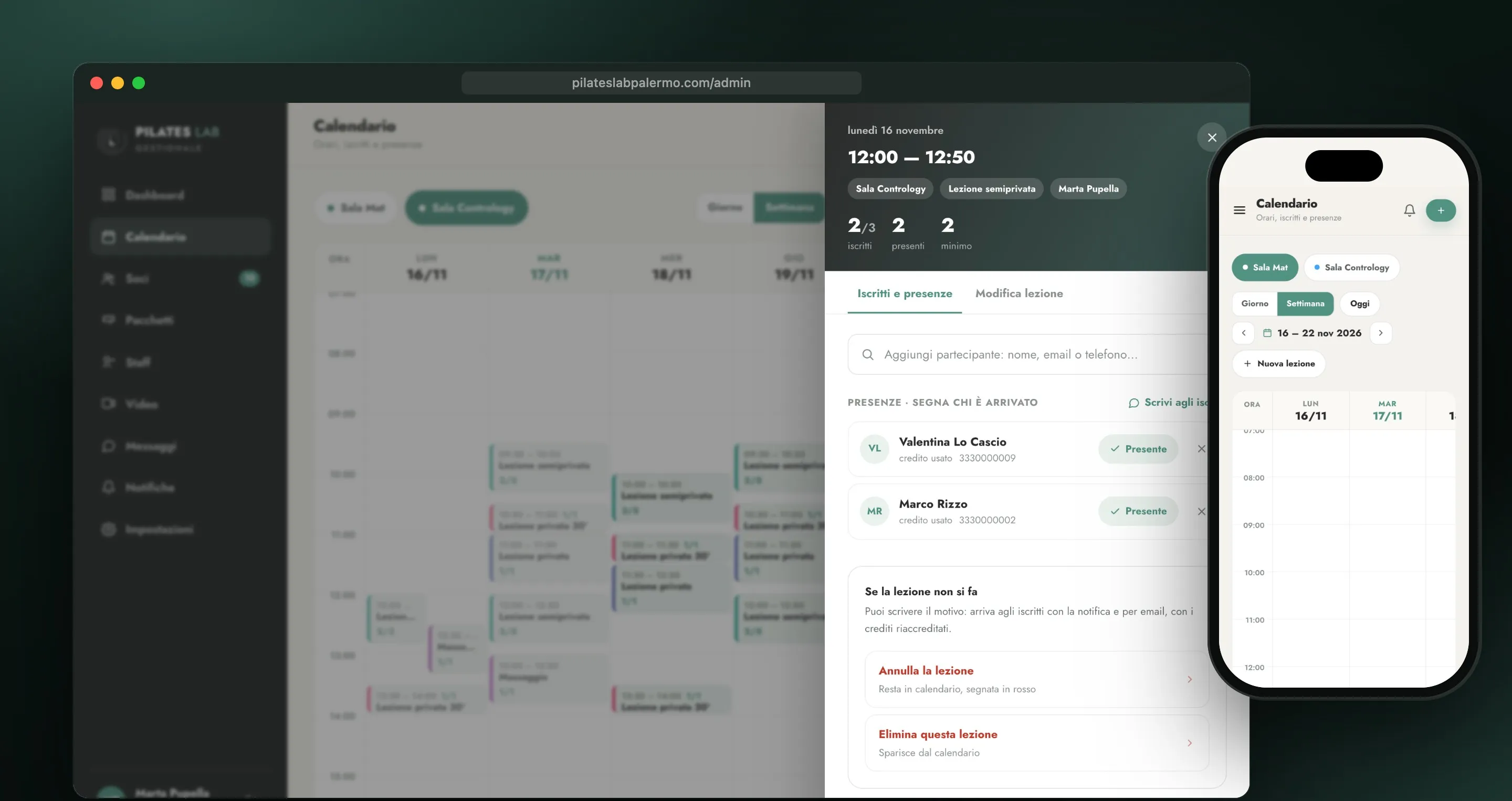
A back office built around the day
The calendar keeps the shape of the old one, as the owner asked: one column per day, one colour per type of lesson, a tab per room. Opening a lesson shows who is booked, marks who came and lets the studio write to everyone in it or cancel with a reason.
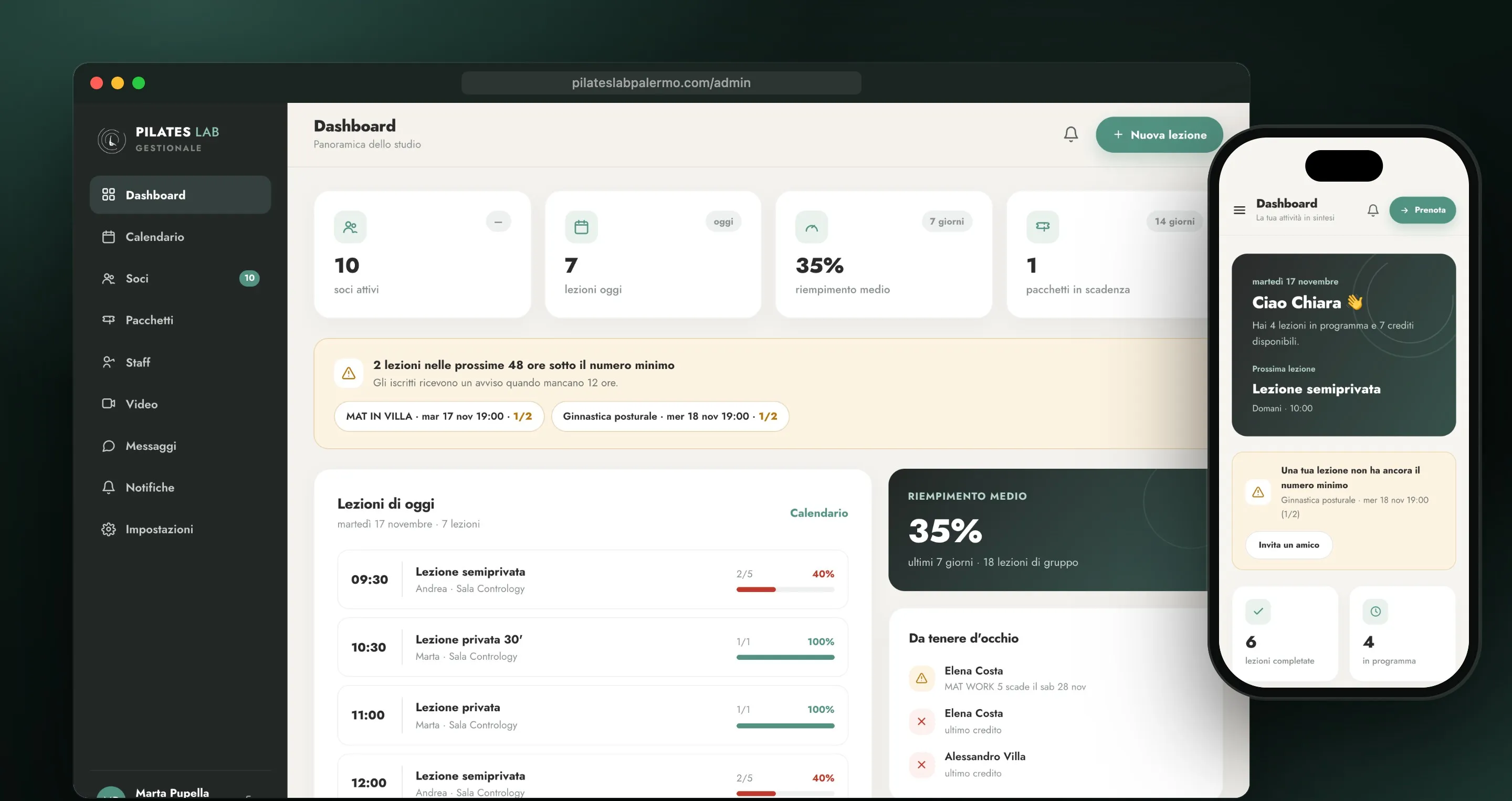
The dashboard opens on today: the lessons with how full they are, the classes still short of people in the next 48 hours, and the members whose package is about to run out. Packages are assigned on the spot and can be adjusted, with how much was paid and how. People who come without an email can be added as guests and become members later.
An app without the store
Both the members’ area and the back office install on the phone from the browser, with two different icons: green for members, black for the staff. Notifications go straight to the phone, free and without third-party providers, with one short sentence each, because a lock screen only shows three or four lines.
Most members had never installed a web app. Instead of a manual I made a short video tutorial with the real app: six steps, from creating an account and installing the app to the first booking.
Conclusion
Pilates Lab now runs on a product made around its own way of working: the rules are in the code, the calendar looks like the one the staff already knew, and members book from their phone. Being both the designer and the developer meant every request from the studio could go from a voice message to a release in days, and the platform keeps growing one small change at a time.