GIGLIO.COM - Designing a Premium Fashion App Experience.
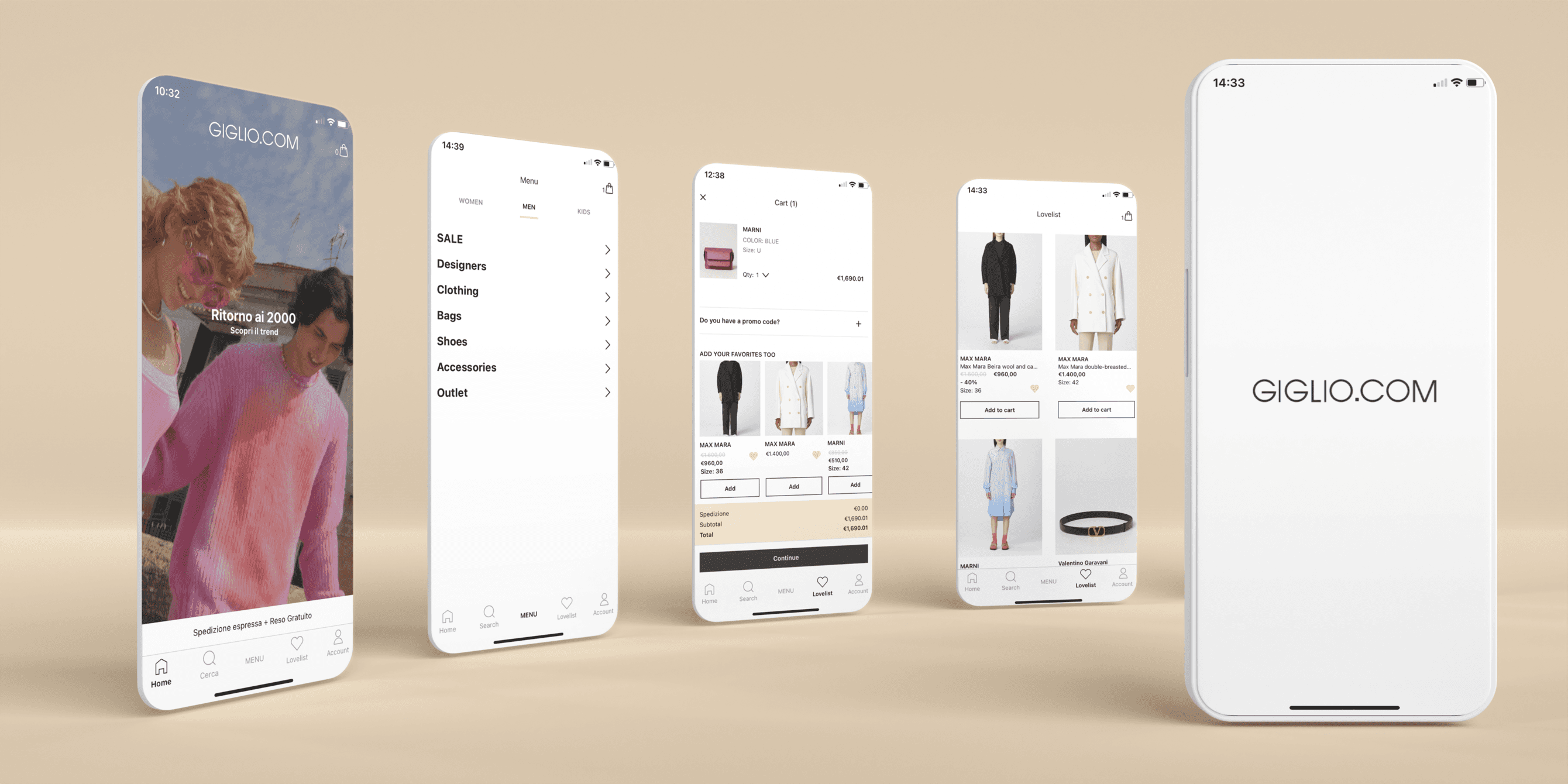
GIGLIO.COM is a leading Italian luxury fashion retailer with a strong international presence. The project aimed to design a new native mobile app that could translate the brand’s premium identity into a fast, intuitive experience tailored to mobile shoppers.
As part of the UX team, I focused on user research and on redesigning the Lovelist (wishlist) experience to increase engagement, make saving items more effortless, and create a stronger emotional connection with the brand.
Palermo, Italy
2022
Fashion Retail
UX/UI Designer
App Design
Challenge
While GIGLIO.COM had a solid web experience, it lacked a dedicated app for a growing audience that expects frictionless, personalized mobile shopping. The main challenges were to:
✤ Create a mobile-first experience consistent with the brand’s premium positioning.
✤ Improve product discovery and browsing on smaller screens.
✤ Support the full e‑commerce flow, from inspiration to checkout.
✤ Design a Lovelist that feels natural, quick to use, and valuable across the journey.
Results
Although detailed metrics are confidential, early tests and internal feedback indicated:
✤ Increased engagement with the Lovelist, with more users saving and revisiting items.
✤ Longer in‑app browsing sessions compared to the mobile web experience.
✤ A smoother path from saved items to checkout, contributing to reduced drop‑offs in the purchase flow.
+47%
Lovelist usage
+32%
Session time
+23%
Wishlist-to-cart conversion
Process
Research & Analysis: To understand how users browse, save, and return to products, we:
✤ Reviewed competitor apps (Farfetch, MyTheresa, Net‑a‑Porter) with a specific focus on wishlist patterns and entry points.
✤ Analyzed mobile web analytics to identify drop‑offs between product view, wishlist, and checkout.
✤ Ran stakeholder interviews to align Lovelist behavior with business goals (e.g., re‑engagement, campaigns, email/push strategies).
✤ Key insights around wishlisting and engagement:
✤ Users want one‑tap saving from listings and product pages, without breaking their browsing flow.
✤ Lovelists are used as a staging area: people compare, wait for discounts, and revisit items over time.
✤ Clear feedback (states, icons, microcopy) reduces confusion about what’s saved and where it can be found later.
Design Process:
1 UX Architecture
Mapped end‑to‑end flows for browsing, adding items to Lovelist, and moving from Lovelist to purchase.
✤ Reduced the number of taps required to save, review, and buy a product from the Lovelist.
✤ Defined entry points to the Lovelist from home, lists, product pages, and account areas.
2 Lovelist Experience
Designed a sticky, recognizable Lovelist available across key screens.
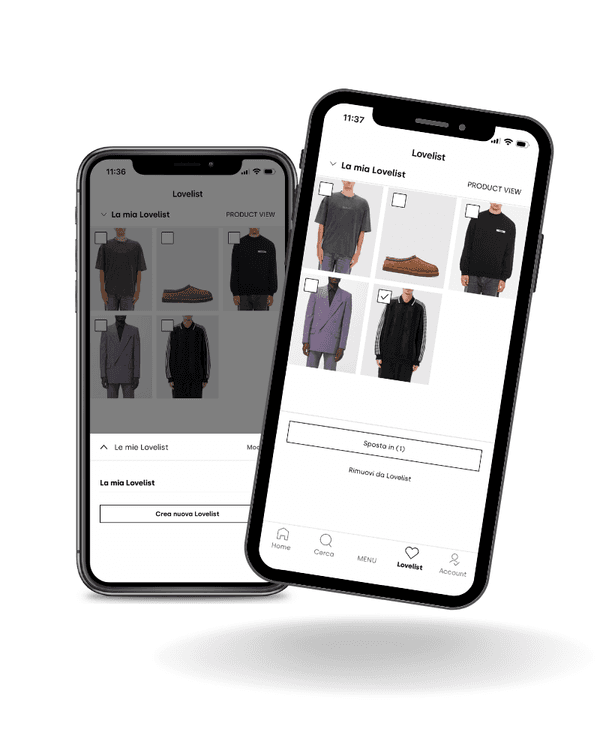
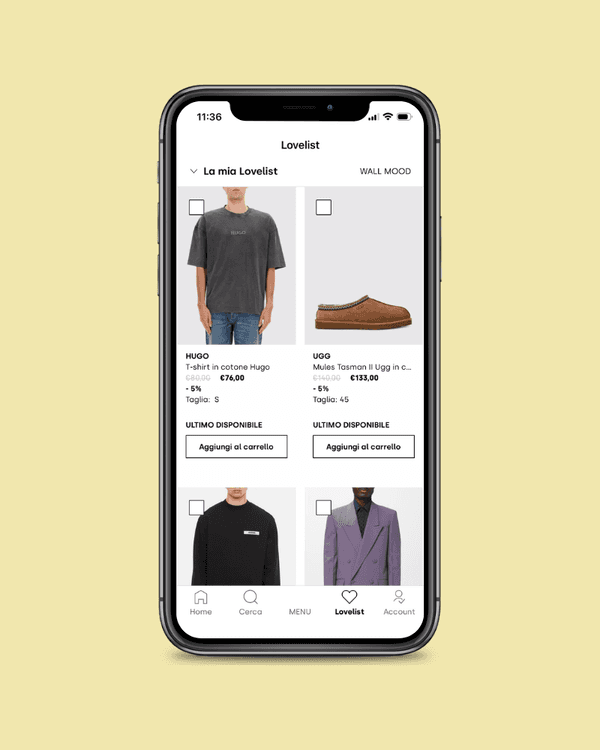
✤ Introduced a two view method Lovelist (Product view and Wall mood).
✤ Structured Lovelist content so users can quickly scan, edit, and move items to bag.
✤ Added subtle microinteractions and visual states (saved/unsaved) to provide instant feedback.
3 UI & Visual Direction
Crafted an editorial‑style interface with large product imagery and clean typography supporting the high‑end positioning.
✤ Ensured the Lovelist feels visually consistent with product listings and PDPs, so the transition is seamless.
✤ Used restrained color and iconography to keep focus on products and key actions (save, add to bag, share).





Conclusion
The Lovelist redesign proved that targeted research and intuitive flows can significantly boost engagement in premium fashion apps, balancing brand elegance with practical user needs.